

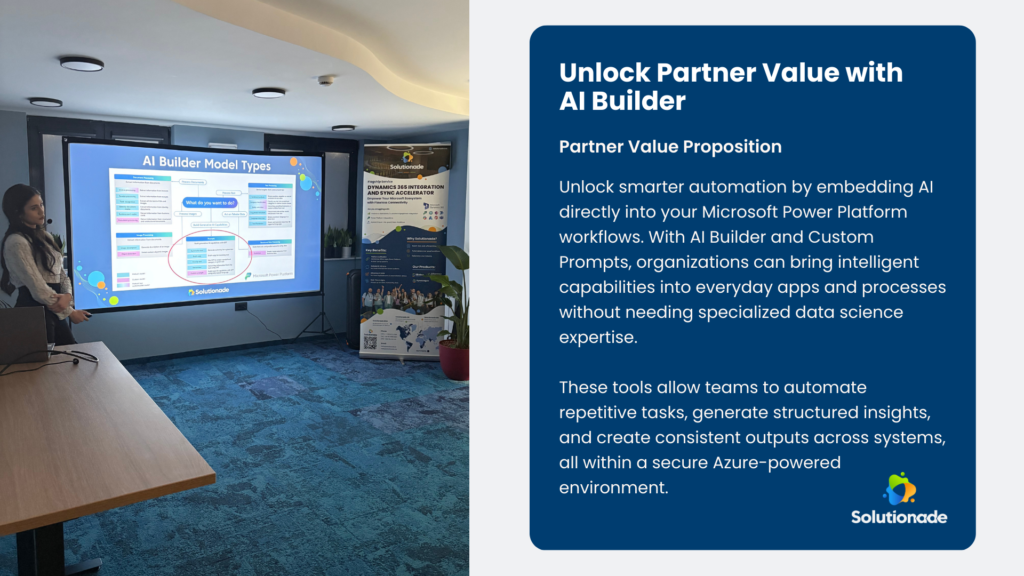
This year’s Connect Conference 2026 highlighted how organizations are embracing artificial intelligence to make everyday business processes smarter and more efficient. Among the sessions, a key focus was on demonstrating how low-code platforms like Microsoft Power Platform can bring AI into practical, operational use without requiring specialized data science teams.
The discussion centered on AI Builder and Custom Prompts, two powerful capabilities that allow organizations to embed AI directly into apps and workflows. Instead of treating AI as a standalone experiment, these tools make intelligence a natural part of business processes—automating repetitive tasks, generating structured insights, and improving consistency across systems.
Making AI Practical with AI Builder
AI Builder is a built-in capability in Microsoft Power Platform that brings AI within reach of developers, business users, and low-code makers alike. Traditionally, deploying AI required training models, preparing datasets, and managing complex pipelines. AI Builder removes these barriers by allowing AI capabilities to be configured visually in the maker portal.
All AI operations run on Microsoft’s Azure infrastructure, ensuring enterprise-grade security and compliance while keeping organizational data safe within Microsoft’s trusted ecosystem.
AI Builder supports three main types of models:
• Prebuilt models, ready for instant use
• Customizable models, refined using internal organizational data
• Fully custom models, built around specific business datasets
These models are reusable across Power Platform components, enabling organizations to implement AI once and apply it in multiple apps and workflows.
Custom Prompts: Reusable AI Instructions
A key highlight was Custom Prompts, which transform AI into a reusable, low-code function. Instead of training a model, makers define:
• What the AI should do
• Input variables required
• Output format and structure
Custom Prompts can handle tasks such as summarizing text, generating structured content, interpreting business data, or drafting standard reports. Once created, prompts can be called from Power Apps, Power Automate, and Power Fx, making AI consistently available across workflows.
Clear instructions and structured outputs are essential for reliable results, and prompts behave as reusable building blocks for AI-driven processes.
Integrating AI with Workflows
While Custom Prompts define the AI logic, Power Automate allows organizations to embed that logic into end-to-end workflows.
Within a flow, a Run a Prompt action passes real business data to a Custom Prompt, which produces structured outputs. The workflow can then:
• Update records
• Generate documentation
• Notify users
• Trigger additional automated actions
This combination turns AI into an operational tool rather than a standalone experiment, enabling intelligent automation across multiple business systems.
Real-World Example: Automated Project Summaries
One practical demonstration focused on generating project summaries automatically. Many teams are required to write concise summaries for new or updated project records, a process that is often inconsistent or skipped due to time pressures.
With AI Builder and Power Automate, the process can be automated:
• A project record is created or updated
• A flow triggers automatically
• Relevant project data is passed to a Custom Prompt
• AI generates a concise, executive-ready summary
• The summary is saved directly in the system
This ensures that every project record includes a structured and consistent summary while reducing manual effort.
Best Practices for Adoption
To maximize AI Builder and Custom Prompts:
• Write clear, specific instructions in prompts
• Use input variables rather than hardcoded values
• Validate inputs before triggering AI
• Filter triggers to avoid unnecessary automation
• Test prompts using realistic and edge-case data
• Monitor AI Builder credit usage regularly
Treating prompts and flows as structured solution components ensures scalability and reliability as adoption grows.
Expanding What Low-Code Can Do
By combining AI Builder, Custom Prompts, and Power Automate, organizations can go beyond simple automation. Tasks that were previously manual or inconsistent can now be handled automatically, consistently, and intelligently.
Ready to bring AI into your business workflows? Contact Solutionade, a trusted Microsoft Partner today to explore how Power Platform, AI Builder, and Custom Prompts can transform your processes and drive smarter automation.
Frequently Asked Questions