

Enhancing Dynamics 365 Finance and Operations with Canvas Apps and Power CAT Tools
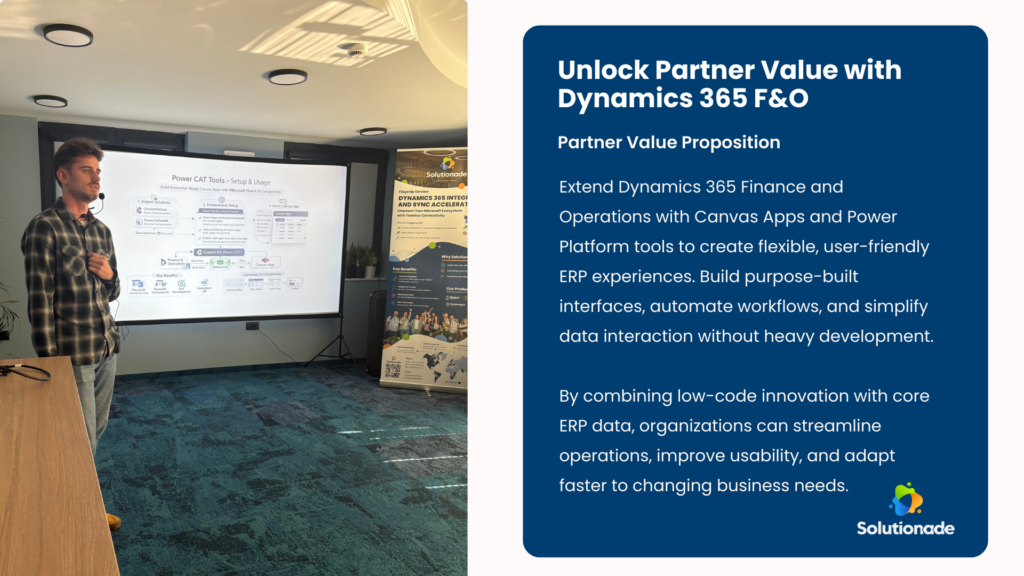
As businesses look for faster, more adaptable ERP solutions, the spotlight at Connect Conference 2026 highlighted innovative ways to extend Dynamics 365 Finance and Operations. Solutionade experts demonstrated how Canvas Apps and Power CAT tools allow organizations to create user-friendly, purpose-built interfaces and workflows that complement Dynamics 365 Finance and Operations, delivering both speed and flexibility without heavy development.
By bridging Dynamics 365 Finance and Operations with the Power Platform ecosystem, teams can create lightweight apps, automate workflows, and craft intuitive experiences that empower employees while maintaining full integration with core ERP data. This approach allows businesses to address operational challenges efficiently while keeping user experience at the forefront.
Why Extend Dynamics 365 Finance and Operations?
ERP users often encounter scenarios where standard functionality doesn’t fully match operational reality. Some common reasons to extend Dynamics 365 Finance and Operations with low-code tools include:
- Flexibility for evolving processes: Business processes are constantly changing, and rigid ERP workflows can slow innovation or limit responsiveness.
- User-friendly interfaces: Canvas Apps provide clean, mobile-ready screens for frontline users, reducing errors and simplifying training.
- Faster development cycles: Low-code solutions dramatically reduce the time from concept to deployment, allowing teams to react quickly to new business needs.
- Seamless ERP integration: Extensions communicate directly with Dynamics 365 Finance and Operations entities and processes, ensuring real-time data consistency and minimizing duplication.
By enabling these capabilities, organizations can deliver agile, scalable, and user-centric ERP experiences that adapt to business growth and changing workflows.
Setting Up the Foundation: Environments and Connectivity
A solid technical foundation ensures smooth integration, accurate data, and reliable performance with Dynamics 365 Finance and Operations:
Finance & Operations Environment
- Use a Tier‑1 Dev or Sandbox instance for testing and building integrations safely.
- Assign correct security roles to control access to tables, entities, and operational workflows.
Dataverse and Connector Configuration
- Dataverse serves as the bridge between Canvas Apps and Dynamics 365 Finance and Operations, providing a single source of truth.
- Proper permissions must be set across Power Platform and F&O to enable secure and reliable connectivity.
Bringing F&O Data into Canvas Apps
- Use Dataverse table as the integration point.
- Enable entities through “Available Finance and Operations Entity” option to expose relevant ERP data.
- Synchronize data to maintain real-time accuracy, ensuring Canvas Apps always reflect the latest information.
With this setup, organizations can create purpose-built apps without duplicating data or introducing errors, maintaining both reliability and speed within Dynamics 365 Finance and Operations.
Sharing, Governance, and Security
Building an app is only part of the journey. Proper sharing, governance, and security are essential for protecting ERP data while empowering employees:
- Assign appropriate Azure AD and F&O roles.
- Share Canvas Apps with specific users, teams, or departments to match operational responsibilities.
- Apply permissions for editing, viewing, and interacting with connected data in Dynamics 365 Finance and Operations, ensuring compliance and security.
Strong governance guarantees that sensitive information remains protected while teams gain the access they need to be productive.
Demonstrating Impact: The Power of Canvas Apps
Hands-on demonstrations during the session highlighted how Canvas Apps and Power CAT tools transform ERP interactions:
- Faster and more accurate data entry with role-specific screens
- Custom workflows tailored to operational needs
- Streamlined approval and validation processes
- Mobile-enabled ERP extensions that allow users to work anywhere
Canvas Apps don’t replace Dynamics 365 Finance and Operations—they enhance usability, simplify workflows, and allow employees to work smarter without disrupting core operations.

Conclusion: Modern ERP, Made Flexible
By integrating Canvas Apps, Dataverse, and Power CAT tools with Dynamics 365 Finance and Operations, organizations gain a new level of agility, efficiency, and employee satisfaction. Teams can design custom experiences, streamline workflows, and modernize ERP interactions—all without heavy coding or expensive customizations.
This approach merges the robustness of Dynamics 365 Finance and Operations with the flexibility of the Power Platform, accelerating digital transformation while improving usability, efficiency, and employee engagement.
Ready to unlock the full potential of Dynamics 365 Finance and Operations? Contact Solutionade a trusted Microsoft Partner today to learn how Canvas Apps and Power CAT tools can help your organization extend ERP functionality, streamline processes, and empower users with flexible, low-code solutions.
Frequently Asked Questions